EQfy icon EQfy - Louder Volume
  • Features
  • Equalizer
  • AI Studio
  • FAQ
  • Blog
๐Ÿ‡ฌ๐Ÿ‡ง English ๐Ÿ‡ช๐Ÿ‡ธ Espaรฑol ๐Ÿ‡ฉ๐Ÿ‡ช Deutsch ๐Ÿ‡ซ๐Ÿ‡ท Franรงais ๐Ÿ‡ง๐Ÿ‡ท Portuguรชs ๐Ÿ‡ฏ๐Ÿ‡ต ๆ—ฅๆœฌ่ชž ๐Ÿ‡ธ๐Ÿ‡ฆ ุงู„ุนุฑุจูŠุฉ ๐Ÿ‡น๐Ÿ‡ท Tรผrkรงe ๐Ÿ‡จ๐Ÿ‡ณ ็ฎ€ไฝ“ไธญๆ–‡ ๐Ÿ‡ฉ๐Ÿ‡ฐ Dansk ๐Ÿ‡ณ๐Ÿ‡ฑ Nederlands ๐Ÿ‡ฎ๐Ÿ‡น Italiano ๐Ÿ‡ต๐Ÿ‡ฑ Polski ๐Ÿ‡ฐ๐Ÿ‡ท ํ•œ๊ตญ์–ด ะ ัƒััะบะธะน ๐Ÿ‡บ๐Ÿ‡ฆ ะฃะบั€ะฐั—ะฝััŒะบะฐ ๐Ÿ‡ฒ๐Ÿ‡พ Bahasa Melayu
Download Free
  • Features
  • Equalizer
  • AI Studio
  • FAQ
  • Blog
Download Free
  1. Home
  2. Blog
Guides & news

The EQfy Blog

Practical guides to make your iPhone louder, clearer and more fun to listen to โ€” plus news about the EQfy app.

News

iPhone Duo Support Is Here in EQfy v2.2.23

iPhone Duo apps, upgraded: EQfy - Louder Volume v2.2.23 uses the full inner display with a sidebar and two-column screens. See what's new and how to update.

Read more โ†’
Guide

How to Record Audio on iPhone (Voice, Screen, Calls)

How to record audio on iPhone with Voice Memos, screen recording or call recording, the settings that give clearer sound, and how to fix a quiet recording.

Read more โ†’
Guide

iPhone Mono Audio: What It Does and When to Use It

iPhone Mono Audio plays the same sound in both ears. What mono audio does, how to turn it on or off, and why it switches off Spatial Audio on AirPods.

Read more โ†’
Guide

iPhone Volume Limit: How to Set It or Turn It Off

The iPhone volume limit is three settings, not one: one for the speaker, one for headphones, one that softens peaks. How to set each, turn it off, or fix it.

Read more โ†’
Guide

Sound Check on iPhone: What It Does in Apple Music

Sound Check on iPhone evens out song volume in Apple Music. What it does, where the switch is, and when to keep it on or turn it off for louder music.

Read more โ†’
Guide

iPhone Call Volume Low? How to Hear Callers Again

iPhone call volume too low? Turn it up during the call, then find where it's quiet: at your ear, on speaker, one caller or AirPods. Fixes for each case.

Read more โ†’
Guide

iPhone Speaker Crackling? Causes and Fixes

iPhone speaker crackling? When it crackles points to the cause: high volume, one bad file, water or lint, calls, or a damaged speaker. Here's how to fix each.

Read more โ†’
Guide

How to Make iPhone Ringtone Louder and Hear Calls

How to make iPhone ringtone louder: max the ringer volume in Sounds & Haptics, stop the buttons and Attention Aware lowering it, and pick a tone that carries.

Read more โ†’
Guide

AirPods Sound Muffled? Find the Cause and Fix It

AirPods sound muffled? A 2-minute test shows if it's wax, the seal, a call or a setting. Then Apple's way to clean the mesh, and what to do if it stays dull.

Read more โ†’
Guide

iPhone Volume Button Not Working? Test It First

iPhone volume button not working? A quick Camera test shows if the button is dead or a setting is to blame. Then the fixes, and how to change volume without it.

Read more โ†’
Guide

iPhone Microphone Not Working? Test and Fix It

iPhone microphone not working? A two-minute Voice Memos and Camera test shows what failed. Then fix the openings, call routing, app access or book a repair.

Read more โ†’
Guide

iPhone No Sound? Find Which Sound Is Missing

iPhone no sound? First work out which sound is missing: alerts, one app, the speaker or calls. Then fix Silent mode, the audio output or the setting behind it.

Read more โ†’
Guide

iPhone Alarm Not Going Off? How to Find the Cause

iPhone alarm not going off? Check the Clock app first: a one-time alarm, the wrong AM/PM, a skipped Wake Up alarm or Sound set to None. Fixes for each cause.

Read more โ†’
Guide

How to Make Alarm Louder on iPhone and Test It

How to make alarm louder on iPhone: raise the Ringtone and Alerts slider, give alarms their own volume in iOS 27, pick a sharper sound and test it tonight.

Read more โ†’
Guide

How to Make a Song Your Ringtone on iPhone

How to make a song your ringtone on iPhone: use Files on iOS 26 for clips under 30 seconds, or trim a longer song in GarageBand, then set it for calls.

Read more โ†’
Guide

Voice Isolation on iPhone: How to Turn It On

Voice Isolation on iPhone cuts background noise so callers hear you. How to turn it on in Control Center, why it's missing, AirPods, and how to turn it off.

Read more โ†’
Guide

How to Clean iPhone Speaker Without Damaging It

How to clean iPhone speaker grilles the way Apple says: a dry soft brush, no liquids or compressed air. Plus what to do after water and when it's still quiet.

Read more โ†’
Guide

AI Birthday Song With Their Name, on iPhone

Make an AI birthday song with a name on iPhone: write a prompt or your own lyrics in EQfy's Music Generator, pick the style and share it. Uses 3,000 credits.

Read more โ†’
Guide

Does iPhone Have an Equalizer? Where to Find It

Does iPhone have an equalizer? Not a system-wide one. Find the built-in EQs in Music, AirPods and Accessibility, and how to add one with an app.

Read more โ†’
Guide

Podcasts Too Quiet on iPhone? Fixes and EQ Tips

Podcasts too quiet on your iPhone? Try Enhance Dialogue in Apple Podcasts, Spotify's Volume level and your iPhone limits, plus a voice EQ and MP3 boost.

Read more โ†’
Guide

How to Make a Voice Memo Louder on iPhone

Voice memo too quiet? Save it to Files, import it into EQfy, raise Volume Boost up to +12 dB and share a louder copy. Here is how, plus what Voice Memos can do.

Read more โ†’
Guide

iPhone Volume Keeps Going Down? Why and How to Fix

iPhone volume keeps going down by itself? See why: headphone notifications, Reduce Loud Audio, AirPods features and Attention Aware, and how to stop each one.

Read more โ†’
Guide

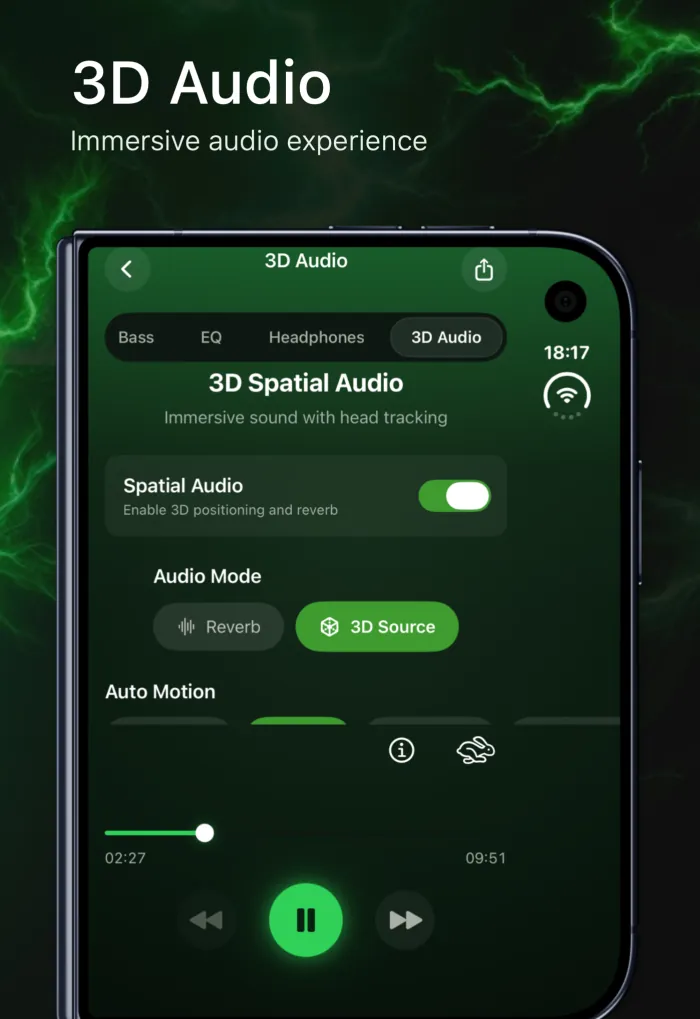
8D Audio on iPhone: How to Get the 8D Effect

Want 8D audio on iPhone? Switch on 3D Source in EQfy, pick the Orbit motion and put on headphones. Here is how to get the circling effect, step by step.

Read more โ†’
Guide

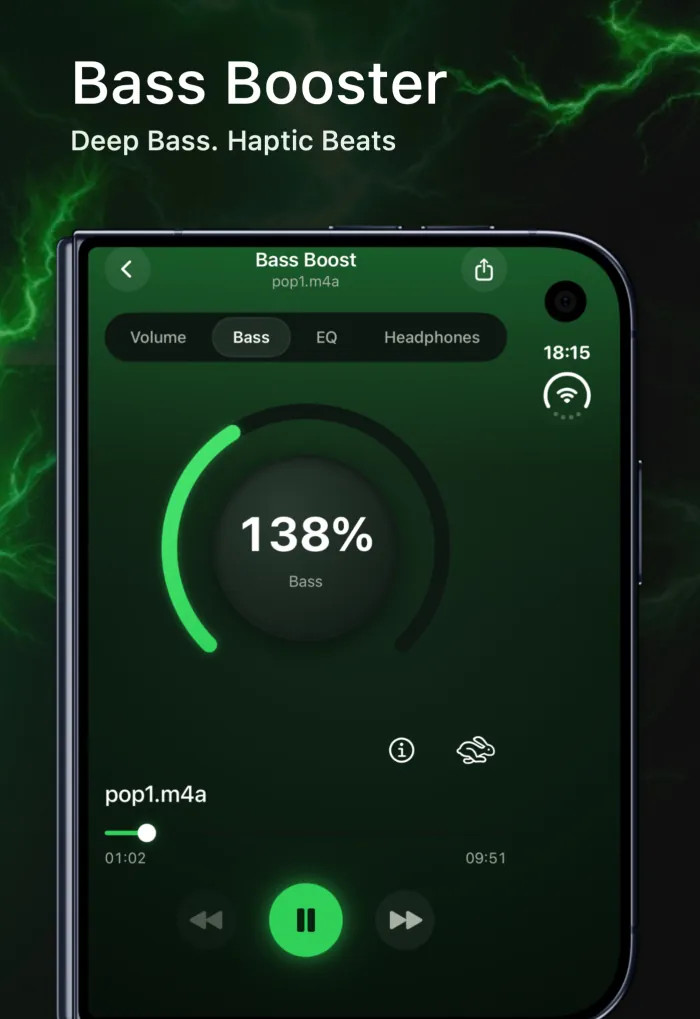
Best Bass Booster Apps for iPhone, Compared

Want the best bass booster app for iPhone? We compare Boom, Equalizer Fx, two Bass Booster apps and EQfy on bass tools, price and rating. Free options too.

Read more โ†’
Guide

Music Haptics on iPhone: How to Feel Your Music

Music Haptics makes your iPhone tap and vibrate in time with a song. Learn how to turn it on, why it may not work, and how EQfy adds haptics to your own files.

Read more โ†’
Guide

AI Sound Effects Generator for iPhone: How to Use It

Make an AI sound effect on your iPhone: type a prompt in EQfy's AI Studio, choose a duration and Influence, and get an MP3. Plus free Apple sound options.

Read more โ†’
Guide

Text to Speech App for iPhone: Make an MP3 File

Looking for a text to speech app for iPhone? Compare Apple's free Read & Speak with EQfy's AI voices, which turn up to 5,000 characters into an MP3.

Read more โ†’
Guide

How to Get More Bass on AirPods

Want more bass on AirPods? Check the ear tip seal, try Apple's custom AirPods EQ, use the Music app's Bass Booster, and boost songs with EQfy. Here is how.

Read more โ†’
Guide

Best Equalizer Apps for iPhone, Compared

Want the best equalizer app for iPhone? We compare Apple Music's EQ, EQfy, Boom, Equalizer Fx and Equalizer+ HD on bands, presets, price and what they can EQ.

Read more โ†’
Guide

Best Volume Booster Apps for iPhone, Compared

Which volume booster app for iPhone is best? We compare EQfy, Boom, Increase Volume Sound, Equalizer Fx and Higher Volume on what each one really boosts.

Read more โ†’
Guide

iPhone Bluetooth Volume Too Low? Fixes That Work

iPhone Bluetooth volume too low on headphones, a speaker or your car? Check both volume controls, re-pair the device, set its Device Type and cut interference.

Read more โ†’
Guide

MP3 Volume Booster for iPhone: Make Files Louder

Need an MP3 volume booster for iPhone? Import an MP3 or M4A into EQfy, raise the Volume Boost dial to +12 dB and save the louder copy. Here's how.

Read more โ†’
Guide

How to Play MP3 Files on iPhone Offline

Learn how to play MP3 files on your iPhone offline: import songs from Files or your Music library, build playlists and listen with no internet connection.

Read more โ†’
Guide

Remove Background Noise from Audio on iPhone

How to remove background noise from audio on iPhone: use Voice Memos' Enhance Recording for free, or EQfy's Noise Reducer to clean an MP3 or WAV file.

Read more โ†’
Guide

Slowed and Reverb on iPhone: How to Do It

Want slowed and reverb songs on your iPhone? Slow a track down and add a Hall or Cathedral reverb in EQfy. Here is how, and what to expect from the sound.

Read more โ†’
Guide

Make Spotify Louder on iPhone: Volume and EQ Tips

Spotify too quiet on your iPhone? Try Spotify's Volume level and Equalizer settings, check the iPhone limits, and learn why no booster app can change Spotify.

Read more โ†’
Guide

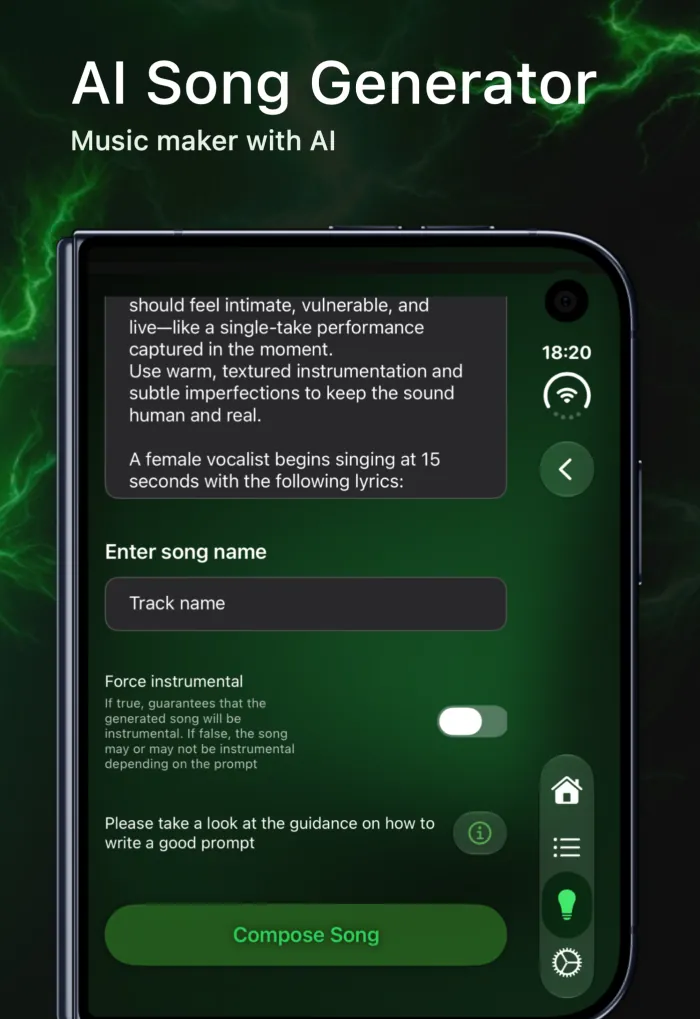
AI Song Generator on iPhone: Make a Song with AI

Use an AI song generator on iPhone: describe a track in EQfy's AI Studio, name it, choose Force instrumental and compose. Plus prompt tips for better songs.

Read more โ†’
Guide

How to Make AirPods Louder When Max Isn't Enough

How to make AirPods louder: lift Reduce Loud Audio, clean the mesh, test ear-tip fit, tame Conversation Awareness, then boost songs up to +12 dB for free.

Read more โ†’
Guide

How to Boost Bass on iPhone Speakers and Headphones

How to boost bass on iPhone: why tiny speakers lose deep notes, the 200 Hz trick that works, Apple Music's free preset and EQ tips for punchier sound.

Read more โ†’
Guide

Best EQ Settings for iPhone: Presets by Genre

The best EQ settings for iPhone by genre: exact 7-band presets for rock, rap, jazz and more, plus easy recipes for deeper bass and clearer vocals.

Read more โ†’
Guide

One AirPod Louder Than the Other? How to Fix It

One AirPod louder than the other? Try the quick checklist, then the Balance slider in iOS Settings, Mono Audio, cleaning the mesh and a reset.

Read more โ†’
Guide

How to Make iPhone Louder Than Max Volume

How to make iPhone louder than max: remove hidden volume limits, turn off Sound Check, clean the speaker, then add up to +12 dB to songs with a free booster.

Read more โ†’
Guide

Is a Volume Booster Safe for Ears and AirPods?

Is a volume booster safe? See WHO listening limits, whether AirPods are bad for your ears, why extra gain distorts speakers and how to boost wisely.

Read more โ†’
Guide

Free Sound Amplifier App for iPhone: What to Use

Looking for a free sound amplifier app for iPhone? Make music louder with a volume booster, or hear people better with Live Listen and AirPods hearing tools.

Read more โ†’
Guide

What Is Spatial Audio? iPhone Guide and 3D Audio

What is spatial audio? On iPhone it means Dolby Atmos and AirPods head tracking. See the settings, and how EQfy's in-app 3D Audio is different.

Read more โ†’
Guide

iPhone Volume Too Low? 12 Quick Fixes to Try

iPhone volume too low? Work through 12 fixes: ringer vs media volume, Headphone Safety, Bluetooth, Balance, dirty speaker grilles and a hardware check.

Read more โ†’
Guide

EQfy vs Boom: Which iPhone Booster Should You Get?

EQfy vs Boom compared: free volume boost vs 7-day trial, 7-band vs 16-band EQ, AI Studio vs TIDAL and radio. An honest Boom alternative check for iPhone.

Read more โ†’
EQfy app icon

Make your iPhone louder

Download EQfy - Louder Volume free on the App Store. Requires iOS 16 or later.

Download on the App Store
EQfy - Louder Volume

Volume booster, bass booster and equalizer for iPhone. Make every track louder, deeper and clearer.

Features

  • Volume Booster
  • Bass Booster & EQ
  • 3D Spatial Audio
  • AI Studio

Resources

  • Blog
  • FAQ
  • Support
  • App Store

Legal

  • Privacy Policy
  • Terms of Use
© 2026 EQfy. All rights reserved. iPhone, AirPods and App Store are trademarks of Apple Inc.