AI Birthday Song With Their Name, on iPhone
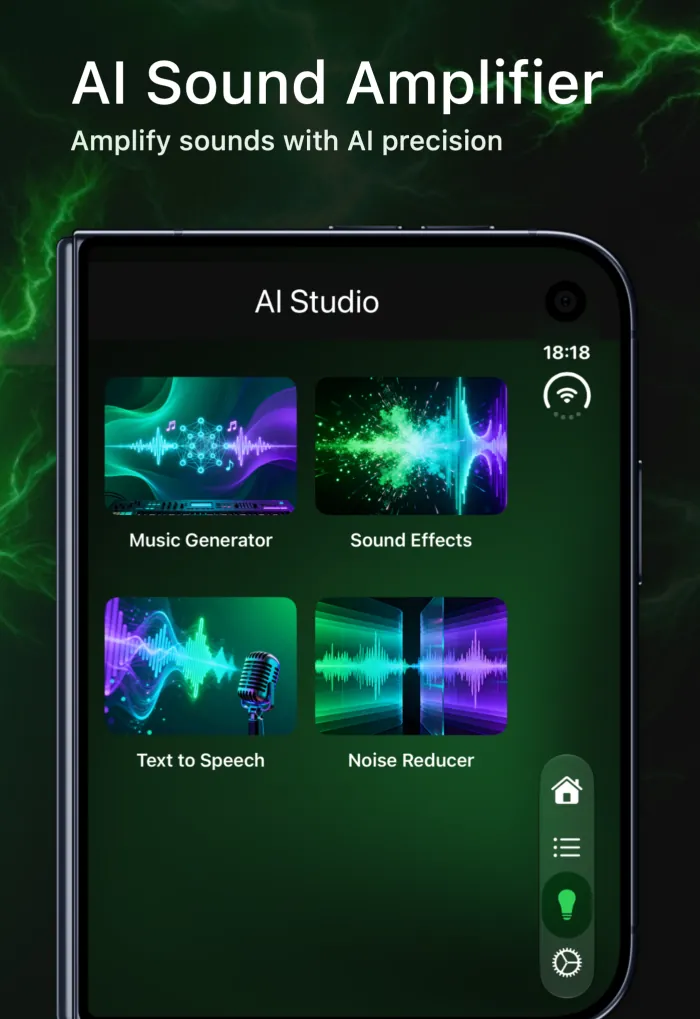
To make an AI birthday song with someone's name on iPhone, open EQfy - Louder Volume, go to AI Studio › Music Generator and describe the song in a sentence or two, including the name and the style. For the most control, paste your own short lyrics with the name in them. Give the track a name, leave Force instrumental off so it has vocals, and tap Compose Song. Generation needs an internet connection and costs 3,000 credits.
Make the song, step by step
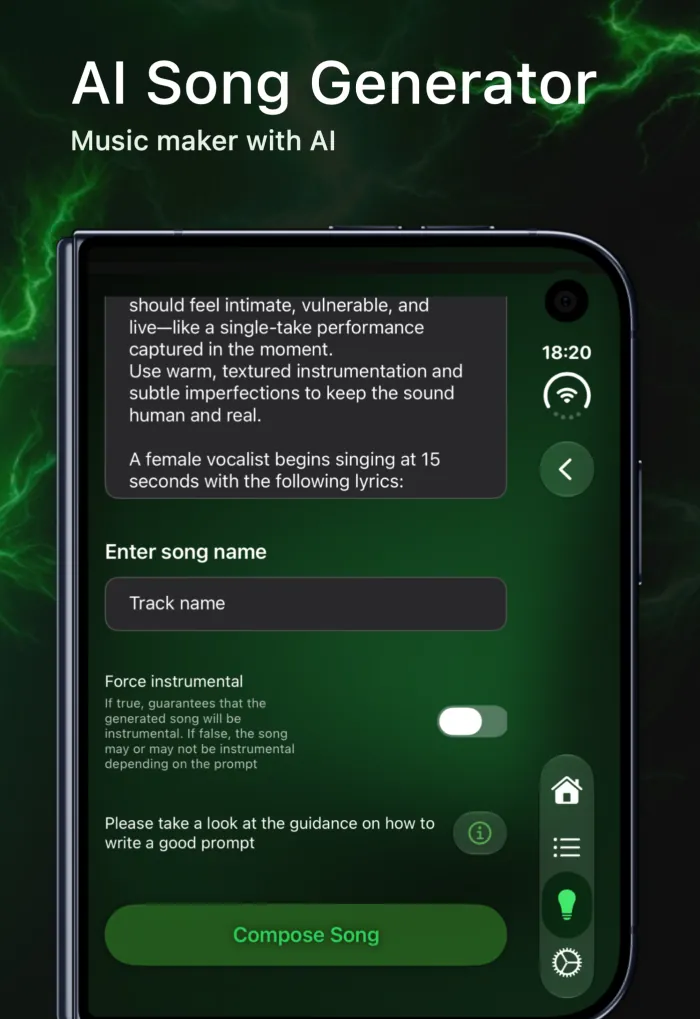
- Open EQfy and tap the AI Studio tab, then choose Music Generator.
- Replace the example text in the prompt box with your own prompt or lyrics (see below).
- Under Enter song name, type a title such as "Happy Birthday Maya". This becomes the track's name in your library.
- Leave Force instrumental off if you want singing. Turn it on for music without vocals.
- Tap Compose Song, and stay online while it's created. EQfy asks you not to close the screen while it processes.
- When it finishes, the song is saved in the Song Compose playlist and ready to play.
Two ways to get the name into the song
1. Describe it and let the model write the words
Mention the name and the occasion in your prompt, and the model writes lyrics for you. It's quick, but you don't control the exact words, and it may or may not sing the name clearly. Listen to the result before you send it to anyone.
2. Write your own lyrics
EQfy's in-app prompting guide says that if you provide lyrics, the system arranges them into a musical form. That makes it the best way to get the name where you want it. Keep the lines short, and put the name in a place the music will stress, such as the start of a line. If a name is unusual, try writing it the way it sounds. You can also say when the singing should begin, for example "vocals start at 15 seconds", and ask for a length such as "a 60-second track", as the guide suggests.
Here's an original lyric template you can adapt. Replace the name and details:
Maya, Maya, it's your day,
Candles shine and friends all say:
Thank you for the way you laugh,
Here's a song on your behalf.Maya, Maya, make a wish,
Cake is cut, so have a slice,
Another year and more to see,
Happy birthday, Maya, from me.
Prompts to try
| For | Example prompt |
|---|---|
| A child | "Fun, bouncy kids' pop song with hand claps, a cheerful vocal wishing Leo a happy 6th birthday" |
| A partner | "Warm acoustic love song with a soft male vocal, a birthday message for Anna, intimate and sweet" |
| A friend | "Upbeat party pop with a big chorus, a shout-out to Sam on their 30th birthday, 120 BPM" |
| A grandparent | "Gentle waltz with piano and strings and a warm vocal, happy birthday to Grandma Rosa" |
| A funny card | "Silly, cheerful ukulele song teasing Chris about getting a year older, playful vocal" |
| A video slideshow | "Bright, happy instrumental with piano and claps for a birthday slideshow" (turn on Force instrumental) |
More prompt ideas, including genre, tempo and vocal style, are in our AI song generator guide. Change one thing at a time when you try again, so you can hear what each change does.
What it costs
- 3,000 credits per song. Every AI Studio tool uses credits, and Premium doesn't make them free.
- Each try costs credits. Write your prompt or lyrics carefully before you tap Compose Song, because a retry is another generation.
- Where credits come from. Buy a credit pack, or earn credits in the Credit Shop, for example with a daily login streak. A free trial may include one free AI generation.
- You pay for results only. Credits are deducted after the song is saved.
Play it, polish it and send it
Your song plays like any other track in EQfy, so you can shape it with the equalizer or turn it up with Volume Boost. Tap the share button in the player to save or send it through the iOS share sheet. If you want a spoken greeting before the music, AI Studio's Text to Speech can turn a short message into audio, and Sound Effects can add a party sound.
Use it responsibly
A birthday song for a friend is a personal use, but read EQfy's Terms of Use before you post it online or use it commercially. Use your own words, don't ask for a copy of an existing song or an imitation of a particular artist, and follow the rules of any platform you upload to.
Frequently asked questions
How do I make an AI birthday song with someone's name?
In EQfy, open AI Studio › Music Generator and describe the song, for example "cheerful acoustic pop song wishing Maya a happy birthday". For the most control, paste your own lyrics with the name in them. Give the song a name and tap Compose Song.
Is the AI birthday song free?
EQfy is free to download, but the Music Generator uses credits: a song costs 3,000. You can buy credit packs or earn credits in the Credit Shop, and a free trial may include one free AI generation. Credits are deducted only after the song is saved.
Can I use my own lyrics?
Yes. EQfy's in-app prompting guide says that if you provide lyrics, the system arranges them into a musical form, and that if you don't, the model writes them. Your own lyrics are the most reliable way to get the name sung exactly as you want.
Will the name be sung clearly?
Not always. The model may sing a name clearly or blur it, so listen to the result. If a name is unusual, put it in your own lyrics, and try spelling it the way it sounds.