Sound Check on iPhone: What It Does in Apple Music
Sound Check on iPhone makes every song in Apple's Music app play at roughly the same loudness, so you stop riding the volume buttons on shuffle. The switch is in Settings › Apps › Music › Sound Check. Keep it on if jumps between songs bother you. Turn it off if Apple Music plays quieter than your other apps, at home or in the car.
What does Sound Check do on iPhone?
Every album leaves the mastering studio at its own level. A lot of pop from the last twenty years is pushed right up to the ceiling, while older records and most classical and jazz sit well below it. Shuffle them together and you hear it straight away: a Fleetwood Mac track, then a new single that comes in so much louder you grab the phone.
Sound Check measures how loud each song is and plays them so they match. Apple's support article If music in Apple Music sounds quiet describes it as adjusting the loudness differences between songs, like stereo versus Dolby Atmos, so they play at a consistent volume level. If you listen in Spatial Audio, that should keep Atmos and stereo songs closer in level; Apple doesn't say by how much.
You get an on/off switch and nothing to tune: no target level, no strength setting. It only affects Apple's Music app, and the switch sits next to the Music EQ in the Music settings (Apple's iPhone User Guide covers both).
How to turn Sound Check on or off
- Open Settings.
- Scroll down, tap Apps, then Music. If there's no Apps entry (older iOS), Music is in the main Settings list.
- Flip the Sound Check switch.
To judge it, play one loud recent song, then one older or quieter one, with the switch on and then off. Leave the volume buttons alone while you compare.
Should Sound Check be on or off?
| How you listen | Sound Check | Why |
|---|---|---|
| Shuffle, big playlists, songs from different decades | On | Fewer sudden jumps between tracks |
| Headphones late at night, falling asleep to music | On | A loud track is less likely to jolt you awake |
| Mix of stereo and Dolby Atmos songs | On | Apple says it covers the stereo vs Atmos difference |
| iPhone speaker in a noisy room | Off | Loud tracks keep their full level |
| Apple Music quieter than other apps, at home or in the car | Off | Loud tracks stop being turned down |
If none of these fits, run the two-song test on the speaker you actually use.
Why Apple Music sounds quieter with Sound Check
Sound Check pulls songs toward one level. In practice, loud modern masters get turned down more than quiet tracks get turned up. With a library of recent pop, Music with Sound Check on often plays a little quieter than YouTube at the same volume setting. In the car, if you turn the head unit a few notches higher for Apple Music than for other audio from the same phone, try Sound Check off before you blame CarPlay. Compare against Spotify or a podcast from the same phone, not FM radio, which is usually louder than streaming anyway.
That's why Apple's quiet-music article sends you to this switch. If quiet music is your problem, turn Sound Check off first, then check the Music EQ in the same settings screen and set it to Off if it's on a preset that cuts, such as Bass Reducer. Our guide on making iPhone louder than max volume covers the other limits, such as Volume Limit and Reduce Loud Audio.
You'll also read that music sounds clearer or punchier with Sound Check off. A song played a little louder almost always sounds better, so after flipping the switch, nudge the volume buttons until both versions are equally loud, then compare.
What Sound Check doesn't change
Other apps don't read the switch. Spotify has its own Volume level setting (Loud, Normal, Quiet; Loud is for Premium), which our Spotify loudness guide walks through. YouTube, podcast apps and games ignore Sound Check completely.
It doesn't move the iPhone's own volume either. If the phone is quiet everywhere, start with why your iPhone volume is too low. If the level slides down while you listen, or comes back lower each time you connect headphones, that's a different feature at work; see why iPhone volume keeps going down.
It also sets one level for a whole song. It doesn't lift the soft passages inside a track, so a quiet live recording keeps its quiet stretches whatever the switch says.
When songs are still too quiet with Sound Check off
Say Sound Check is off, EQ is off, the side volume is at the top, and a song is still too quiet on the iPhone speaker. A Bluetooth speaker is the simplest fix. Headphones help too, as long as Reduce Loud Audio isn't capping them. To get more out of the phone itself, a booster app can add level, but only to music files you own, not Apple Music songs.
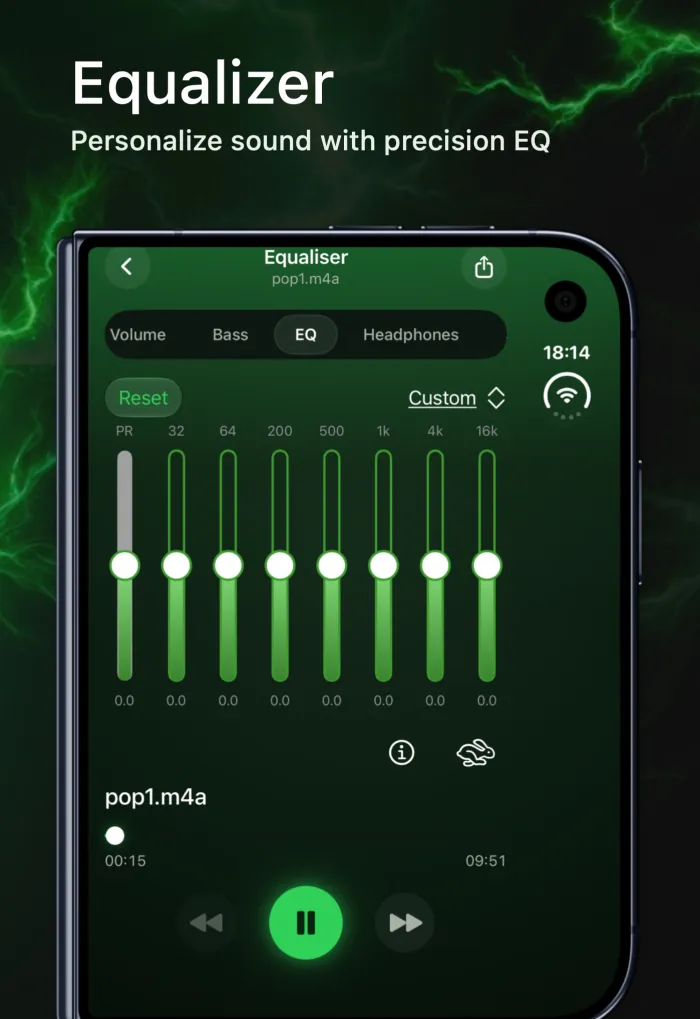
EQfy - Louder Volume plays audio in its own player, so the Sound Check switch doesn't touch it. Pick a song you bought and downloaded to your Music library (a purchase, not an Apple Music download), or an MP3 from Files, open it, and turn the free Volume Boost dial past 100%. At 200% it adds up to +12 dB on top of the iPhone volume. Start around 140% and back off if the speaker starts to crackle.

Frequently asked questions
What is Sound Check on iPhone?
Sound Check is a setting in Apple's Music app that evens out loudness between songs so they play at a similar volume. Apple says it also covers the difference between stereo and Dolby Atmos versions. You'll find it in Settings › Apps › Music, or Settings › Music on older iOS versions.
Should I turn Sound Check on or off?
Keep it on if you mostly shuffle playlists that mix old and new songs and the jumps in volume bother you. Turn it off if Apple Music sounds quieter than your other apps, or you want as much volume as the speaker or car can give.
Does Sound Check make music quieter?
It can. To make songs match, Sound Check turns the loudest ones down, so a library of modern, loud tracks can seem quieter overall. Apple's article for quiet music in Apple Music lists Sound Check as one of the settings to check.
Does Sound Check work in Spotify or other apps?
No. Sound Check only changes playback in Apple's Music app. Spotify has its own Volume level setting with Loud, Normal and Quiet, and YouTube, podcasts and games ignore the Music switch.