Remove Background Noise from Audio on iPhone
To remove background noise from audio on iPhone, start with what's built in. In Voice Memos, open a recording, tap the sliders icon, tap Options and turn on Enhance Recording to reduce background noise and echo during playback. If you have an MP3 or WAV file and want a cleaned copy, EQfy - Louder Volume's Noise Reducer in the AI tab processes the file online and saves the result as a new MP3. It costs 1,500 credits per started minute.
Free options built into iPhone
Voice Memos: Enhance Recording
According to Apple's iPhone User Guide, you can reduce background noise and echo when you play a Mono or Stereo recording:
- Open Voice Memos and tap the recording.
- Tap the sliders icon, then tap Options.
- Turn on Enhance Recording.
Apple says this doesn't change the recording itself, only how it sounds when you play it, and the setting stays with that recording. That makes it safe to try, but it's a playback setting and not a way to export a cleaned file.
Voice Isolation while you record
Prevention beats repair. Apple's page on Mic Mode describes Voice Isolation, which prioritizes your voice and blocks ambient noise. While a call or recording is running, open Control Center, tap the app's controls, and choose a Mic Mode under Audio & Video. Apple lists Voice Isolation for recording apps such as Voice Memos from iOS 26. It only works while you record or call, not on files you already have.
Photos: Audio Mix for videos
For videos, Apple's Photos app has Audio Mix (open the video, tap Edit, then Audio Mix) with options such as In-Frame and Studio that reduce background sounds. Apple says it applies to videos recorded on iPhone 16 or later with Spatial Audio, so it won't help with older videos or other audio files.
EQfy's Noise Reducer for MP3 and WAV files
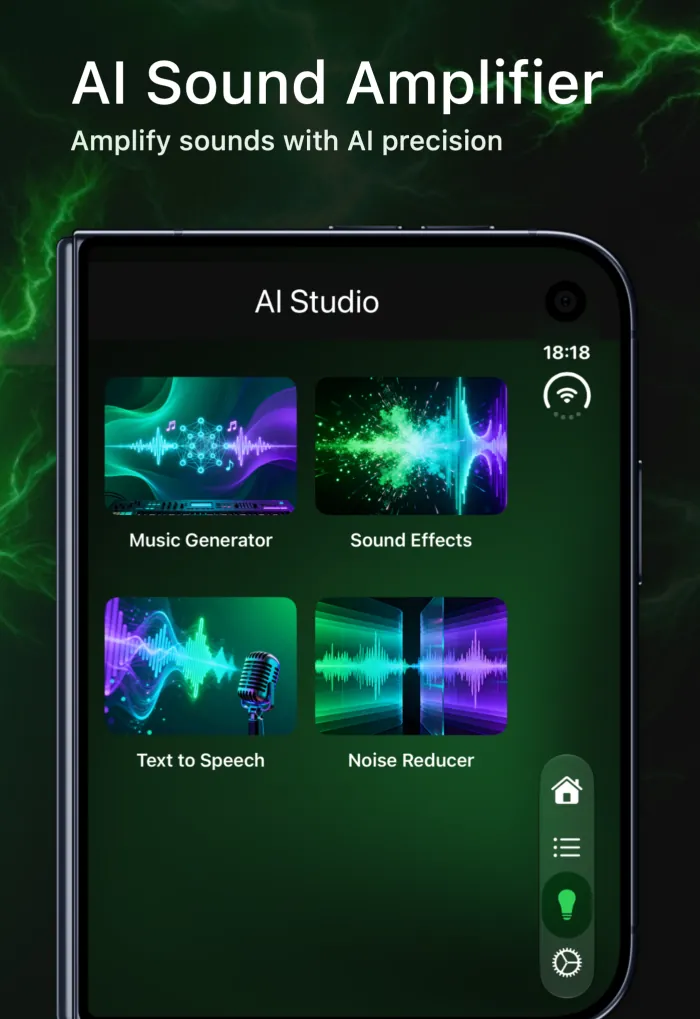
- Open the AI tab and tap Noise Reducer. Your credit balance shows at the top.
- Tap Select Audio File and pick the file. You can choose one file at a time.
- Tap Remove Noise and keep the screen open while it processes.
EQfy uploads the file, processes it online and saves the result as an MP3 in a playlist called Noise Reducer in your library. Your original isn't changed. The cleaned file is a normal track, so you can play it, open it in the player and share it from there.
What it accepts
- MP3 and WAV only. Other formats are rejected with the message "File format is not supported. Please choose wav or mp3 file".
- No M4A. Voice Memos recordings are M4A files, so convert one to MP3 or WAV in another app first.
- No video. Audio files only.
- No length limit in the app. The length only sets the price.
What it costs
The Noise Reducer costs 1,500 credits for every started minute. A 10-second clip costs 1,500, and a 61-second file costs 3,000. Credits are deducted only after the cleaned file is saved, and if your balance is too low, EQfy opens the credit packs. You can earn credits in the Credit Shop, and a free trial may include one free AI generation. Cut a long recording down to the part you need before you upload it, to keep the cost down.
What to expect
EQfy doesn't say which kinds of noise it targets, so judge the result by ear. Try a short clip first, compare it with the original, and only then process the full file. It needs an internet connection, and the AI tab is hidden when you're offline.
Which option should you use?
- A Voice Memos recording you only listen to: turn on Enhance Recording. It's free and instant.
- A recording you haven't made yet: use Voice Isolation while you record.
- An MP3 or WAV file you need to keep or share cleaned: EQfy's Noise Reducer.
After cleaning a quiet file, you may want it louder. How to make an audio file louder on iPhone shows how. For creating new audio from scratch, see AI sound effects and text to speech.
Frequently asked questions
How do I remove background noise from a recording on iPhone?
For a Voice Memos recording, open it, tap the sliders icon, then Options, and turn on Enhance Recording. For an MP3 or WAV file, you can use EQfy's Noise Reducer in the AI tab, which saves a cleaned copy.
Does Enhance Recording change my Voice Memo file?
No. Apple says it doesn't change the recording itself, only how it sounds when you play it, and the setting stays with that recording. It isn't a way to export a cleaned file.
Which files does EQfy's Noise Reducer accept?
One MP3 or WAV file at a time. It doesn't accept video, and it doesn't accept M4A files, which is the format Voice Memos uses, so convert those to MP3 or WAV first.
How much does the Noise Reducer cost?
It costs 1,500 credits for each started minute of audio, so a 10-second clip costs 1,500 and a 61-second file costs 3,000. Credits are deducted only after the cleaned file is saved.
