AI Song Generator on iPhone: Make a Song with AI
To use an AI song generator on iPhone, open EQfy - Louder Volume, go to AI Studio › Music Generator, describe the song you want in a sentence or two, give it a name and tap Compose Song. Turn on Force instrumental if you don't want vocals. Generation runs online, so you need an internet connection, and it's included with Premium or paid for with credits.
This guide walks you through the steps, shows you how to write prompts that get better results, explains how credits work and gives a quick tour of the other AI Studio tools: Sound Effects, Text to Speech and Noise Reducer.
How an AI music generator works
An AI music generator turns a text description into new audio. You write a prompt with the genre, mood, instruments and, if you like, your own lyrics, and an AI model composes a track that matches it. It doesn't remix a song from your library; it creates a new one from your words.
In EQfy, this lives in AI Studio, next to three other AI audio tools. The work happens online rather than on your iPhone, which is why AI Studio needs an internet connection. Results can vary from one generation to the next, so treat each track as a draft you can refine with a better prompt.
How to make a song with AI in EQfy
- Open EQfy and tap the AI Studio tab.
- Choose Music Generator.
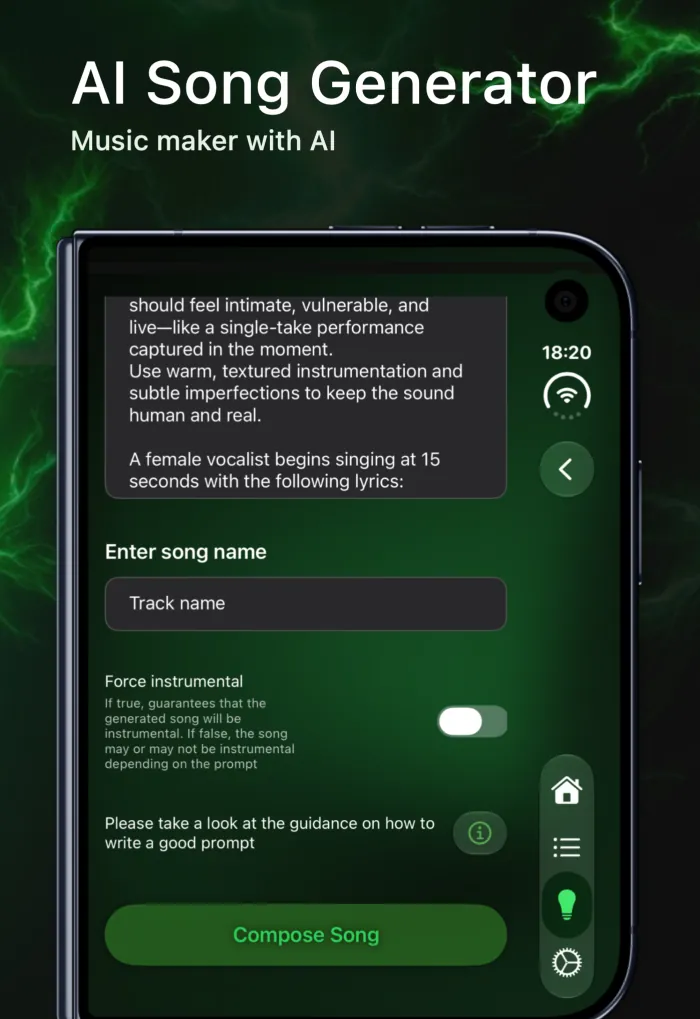
- Type your prompt in the text box. Describe the style, mood and instruments (see the tips below).
- Under Enter song name, give the track a name you'll recognize later.
- Turn on Force instrumental if you want music without vocals. Leave it off and the song may or may not include vocals, depending on your prompt.
- Tap Compose Song and stay online while it's created.
- When it's ready, play your new track in EQfy.
Prompt tips for better AI songs
You don't need music theory to write a good prompt. A short line like "upbeat synth-pop for a summer road trip" can be enough. When you want more control, add detail in roughly this order.
1. Start with genre and mood
Lead with the style and the feeling: "melancholic lo-fi hip hop", "bright acoustic folk" or "dark cinematic orchestral". Mood words such as calm, tense, nostalgic or euphoric steer the result as much as genre names do.
2. Name the instruments and the sound
Say which instruments you want to hear and how they should sound: "warm electric piano, brushed drums, upright bass" or "distorted guitars and pounding drums". Texture words like warm, gritty, airy or crisp help the model pick a production style.
3. Add tempo and key if you know them
If you have something specific in mind, include it: "around 90 BPM" or "in A minor". Slow tempos suit study and sleep tracks, while dance tracks often sit around 120 to 130 BPM. If you're not sure, leave it out and let the genre set the pace.
4. Describe the vocals, or switch them off
Describe the voice you want, for example "soft female vocal" or "two singers harmonizing", and add your own lyrics if you have them. You can even try saying when the singing should start. For background music, skip the vocal description and turn on Force instrumental, so the result is guaranteed to be instrumental.
5. Say what the song is for
Describing the purpose often gives a better fit than a list of technical details: "intro music for a cooking video", "a short jingle for a podcast" or "a birthday song for Anna". You can also describe the shape of the track, such as "starts quietly and builds to a big chorus".
Example prompts to try
| Goal | Example prompt | Force instrumental |
|---|---|---|
| Study or focus | "Calm lo-fi hip hop with soft piano chords and vinyl crackle, slow and relaxed" | On |
| Workout | "High-energy electronic track with punchy drums and a driving bassline, around 128 BPM" | On |
| Video intro | "Short, bright, upbeat pop intro with hand claps and synth bells for a travel vlog" | On |
| Birthday surprise | "Cheerful acoustic pop song with a warm male vocal wishing Sam a happy birthday" | Off |
| Ballad | "Slow piano ballad with an intimate female vocal and a rainy-night mood, in A minor" | Off |
When the result isn't right
Change one thing at a time: the genre, the tempo or the vocal description. That way you can hear what each change does. If vocals keep appearing in a track you wanted instrumental, turn on Force instrumental rather than adding more words to the prompt.
Ideas to try with an AI song generator on iPhone
Not sure where to start? These are good first projects, because the purpose is clear and a short prompt is enough:
- A personal birthday or anniversary song with the person's name in your own lyrics.
- Background music for a video, such as a travel reel, a cooking clip or a product demo. Turn on Force instrumental so the music doesn't compete with your voice.
- A podcast or stream intro. Generate a short music bed, add a spoken line with Text to Speech and finish with a whoosh from Sound Effects.
- Focus and wind-down tracks in a style you actually like, from soft piano to ambient synths.
- Song sketches. If you write songs, describe a mood and a tempo to hear a rough idea before you pick up an instrument.
Credits, Premium and internet
EQfy is free to download. AI Studio is credit-based, and here's how it works:
- With Premium, Music Generator, Sound Effects and Text to Speech are included.
- Without Premium, these tools use credits. Credit packs are available in the app.
- Noise Reducer always uses credits, for subscribers too.
- Internet is required for every AI Studio tool.
Premium is a weekly or yearly subscription, with a free trial on eligible plans. The EQfy FAQ explains what's included and how to manage your subscription.
More in AI Studio: sound effects, voice and noise
Music Generator is one of four tools in AI Studio. The other three are just as easy to use.
Sound Effects
Describe a sound, such as "thunder rolling in the distance", "a door creaking open" or "a crowd cheering in a stadium", and get a sound effect you can use in videos, games or presentations.
Text to Speech
Type a script and turn it into spoken audio with the voice you pick. It's handy for voiceovers, announcements, practice reading or adding narration to a generated track.
Noise Reducer
Choose an audio file, such as a voice memo, an interview or a recorded lecture, and reduce the background noise so the voice is easier to follow. Noise Reducer always uses credits.
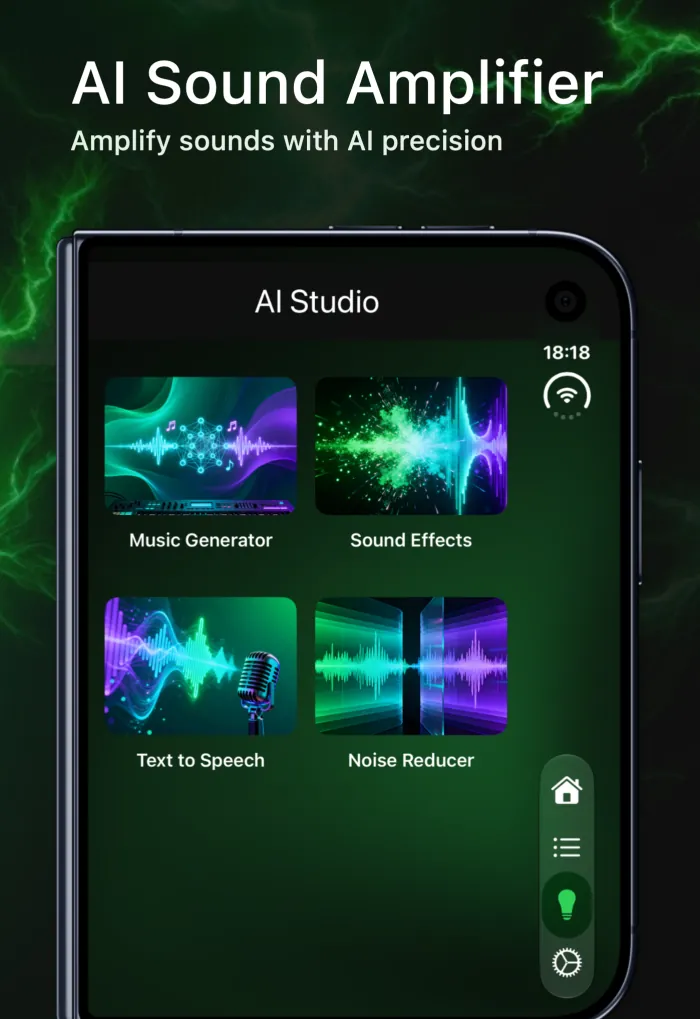
On iPhone Duo, the AI Studio grid will grow from two columns to four in the next update. Read more in iPhone Duo support is coming to EQfy.
Polish your track in the player
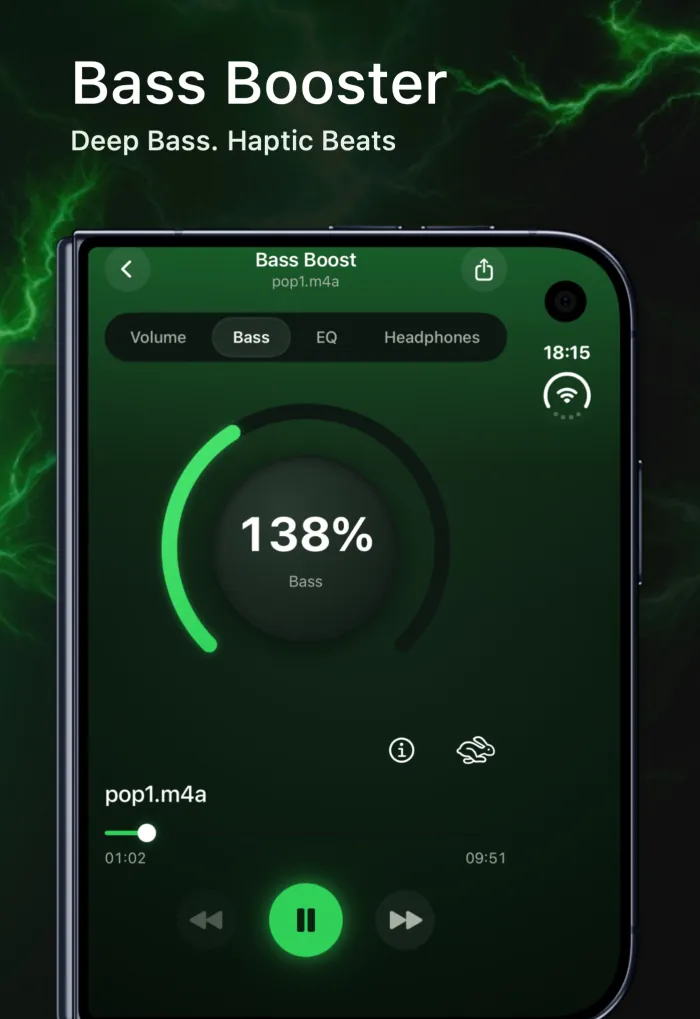
Your generated song is saved to the Song Compose playlist in EQfy under the name you gave it, so you can play it like any other track. The player tools work on it too: shape the sound with the 7-band equalizer, add weight with Bass Boost or turn it up with Volume Boost. With Premium, you can export the enhanced file and share it.
Keep in mind that EQfy's boost and sound tools work on audio played inside EQfy only. They can't change Spotify, YouTube, Apple Music streaming or calls. For everything EQfy can do, see the AI audio tools on the EQfy homepage.
Rights and responsible use
Before you post a generated song online, put it in a video or use it in anything commercial, read EQfy's Terms of Use. They set out how AI-generated content may be used. A few common-sense habits also help:
- Use your own lyrics, or lyrics you have the rights to use.
- Don't ask for a copy of an existing song or an imitation of a specific artist.
- Follow the rules of the platform you upload to, including any AI-content labels it asks for.
Frequently asked questions
Is there a free AI song generator on iPhone?
EQfy is free to download, and its Music Generator is credit-based: it's included with Premium, and without a subscription you can use credits instead. See the FAQ for plan details.
Do I need internet to make a song with AI?
Yes. Every AI Studio tool in EQfy, including Music Generator, needs an internet connection. Your music library and offline playback don't.
What does Force instrumental do?
With Force instrumental on, the generated song is guaranteed to be instrumental, with no vocals. With it off, the song may or may not include vocals, depending on your prompt.
Can I post AI-generated songs online or use them commercially?
Check EQfy's Terms of Use before you publish a generated track or use it commercially. They describe how AI-generated content may be used.