AI Sound Effects Generator for iPhone: How to Use It
To make an AI sound effect on iPhone with EQfy - Louder Volume, open the AI tab, tap Sound Effects, describe the sound you want, choose a duration or leave it on automatic, and tap Generate sound effect. EQfy saves the result as an MP3 in your library. Each sound effect costs 250 credits, and you can set an optional duration of 1 to 30 seconds.
How to generate a sound effect
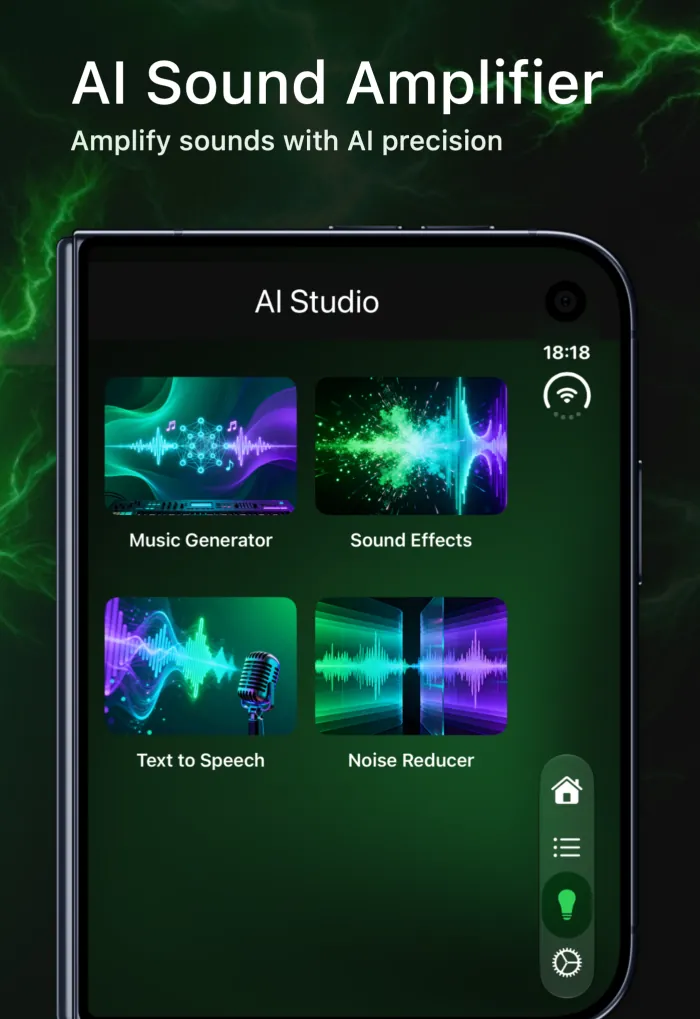
- Open the AI tab and tap Sound Effects. Your credit balance shows at the top.
- Write your description under "Prompt to generate sound effect". The box starts with an example, so replace it with your own idea.
- Choose the length. The duration toggle is on automatic by default. Switch it off to set a duration from 1 to 30 seconds with the slider.
- Adjust Influence if you like. It runs from 0.1 to 1.0 and starts at 0.3.
- Tap Generate sound effect, and don't close the screen while it processes.
When it finishes, EQfy shows "Sound Effect Generated!" and saves the file as an MP3 in a playlist called SFX in your library. It's a normal track, so you can play it, open it in the player, boost or shape it with the tools, and share it. EQfy asks for a single sound rather than a loop, so don't expect it to repeat seamlessly.
Write a better prompt
A specific description gets a more useful sound than a single word. Try to include:
- The sound itself: "wooden door creaking open", not just "door".
- The material or source: "heavy boots on gravel", "glass bottle breaking on concrete".
- The space: "in a large empty hall" or "from inside a small room".
- The mood or intensity: "a soft, gentle rain" or "a loud, sharp crash".
Examples to start from: "a spaceship door sliding open with a soft hiss", "a crowd cheering in a stadium, far away", "a single water drop echoing in a cave".
What the Influence slider does
EQfy's own note explains it: a higher prompt influence makes the generation follow your prompt more closely, and also makes generations less variable. So a low value gives you more surprises, and a high value gives results that stick to your words but are more alike each time. If the first try isn't right, change the prompt before you spend credits on a new generation.
What it costs and what it needs
- Credits. A sound effect costs 250 credits, whatever its duration. Credits are deducted only after the file is saved, and if your balance is too low, EQfy opens the credit packs. You can earn credits in the Credit Shop, and a free trial may include one free AI generation.
- Internet. The sound is generated online, so you need a connection, and the AI tab is hidden when you're offline.
- Prompt length. The app doesn't set a length limit on the prompt, but short and specific descriptions work best.
Free alternatives on your iPhone
You may not need to generate a sound at all:
- Background Sounds. For calm ambient audio, Apple's Background Sounds (Settings › Accessibility › Audio & Visual › Background Sounds) plays sounds such as ocean waves or rain to help you focus or rest. It's for listening, not for exporting a clip.
- GarageBand. Apple's free GarageBand has a Sound Library of instruments, loops and drum kits. It's a music library rather than a sound-effects library, so it suits beats and instruments more than a door slam.
Use EQfy's generator when you want a specific sound that doesn't exist in those places, such as a short effect for a video, a presentation or a game prototype. If you need a spoken voiceover too, see text to speech on iPhone.
Frequently asked questions
How do I make a sound effect with AI on iPhone?
In EQfy, open the AI tab, tap Sound Effects, describe the sound in the prompt box and tap Generate sound effect. The result is saved as an MP3 in the SFX playlist in your library.
How long can an AI sound effect be?
If you switch off the automatic duration, you can set a length from 1 to 30 seconds. EQfy asks for a single sound rather than a loop, so it isn't made to repeat seamlessly.
What does the Influence slider do?
It runs from 0.1 to 1.0 and starts at 0.3. EQfy's note says a higher influence makes the result follow your prompt more closely and makes generations less variable.
How much does a sound effect cost?
Each sound effect costs 250 credits, whatever its duration. Credits are deducted only after the file is saved. If your balance is too low, EQfy opens the credit packs instead.