Music Haptics on iPhone: How to Feel Your Music
Music Haptics is an iPhone accessibility feature that plays taps, textures and vibrations in time with a song. To turn it on, open Settings › Accessibility › Music Haptics and switch it on, then start or stop it from the audio card in Control Center while a song plays. It works with supported iPhone models and supported apps, not with every song. For your own files, such as imported MP3s, EQfy - Louder Volume has a separate haptic player that vibrates along with the audio.
What Music Haptics does
Apple describes Music Haptics as a way to experience music on iPhone with taps, textures and refined vibrations that are synchronized with a song's audio. It arrived with iOS 18, and Apple groups it with its accessibility features for hearing. You don't need to be hard of hearing to try it: it simply adds a physical layer to the beat.
How to turn on Music Haptics
- Open Settings › Accessibility › Music Haptics and switch Music Haptics on.
- Play a song in a supported app, such as Apple Music.
- To start or stop it during a song, open Control Center, tap the audio card and tap the Music Haptics button. If the button appears crossed out, Music Haptics isn't available for that song.
You can also customize it in the same settings:
- Full Mix plays haptics that match the rhythm, beat and energy of the song.
- Vocals Only plays haptics for vocals or vocal-like melodies.
- Intensity can be Light, Medium or Strong.
Source: Play music on iPhone as taps, textures and more (Apple Support). Menu names can change between iOS versions, so check the page if yours looks different.
Which apps and songs support it
Apple says Music Haptics is available with supported iPhone models for millions of songs in Apple Music, Apple Music Classical, Shazam and compatible third-party apps, when your iPhone is connected to Wi-Fi or cellular. Two things follow from that wording:
- Spotify isn't named. Apple's article doesn't list it. To see whether it works for a song, play it and look for the Music Haptics button on the Control Center audio card.
- It depends on the song. Not every song is supported, which is why Apple shows the button crossed out when it isn't.
Music Haptics not working? Check these
- Is it on? Check Settings › Accessibility › Music Haptics.
- Is your iPhone supported? Apple says it works on supported iPhone models. If you don't see Music Haptics in Accessibility, your model or iOS version may not have it.
- Are you connected? Apple's note requires Wi-Fi or cellular.
- Does the song support it? A crossed-out button in Control Center means no.
- Is the app supported? Try the same song in Apple Music.
- Try the options. Switch between Full Mix and Vocals Only, and raise the intensity to Strong.
If it still doesn't work, update iOS and check Apple's page above.
Haptics for your own files with EQfy
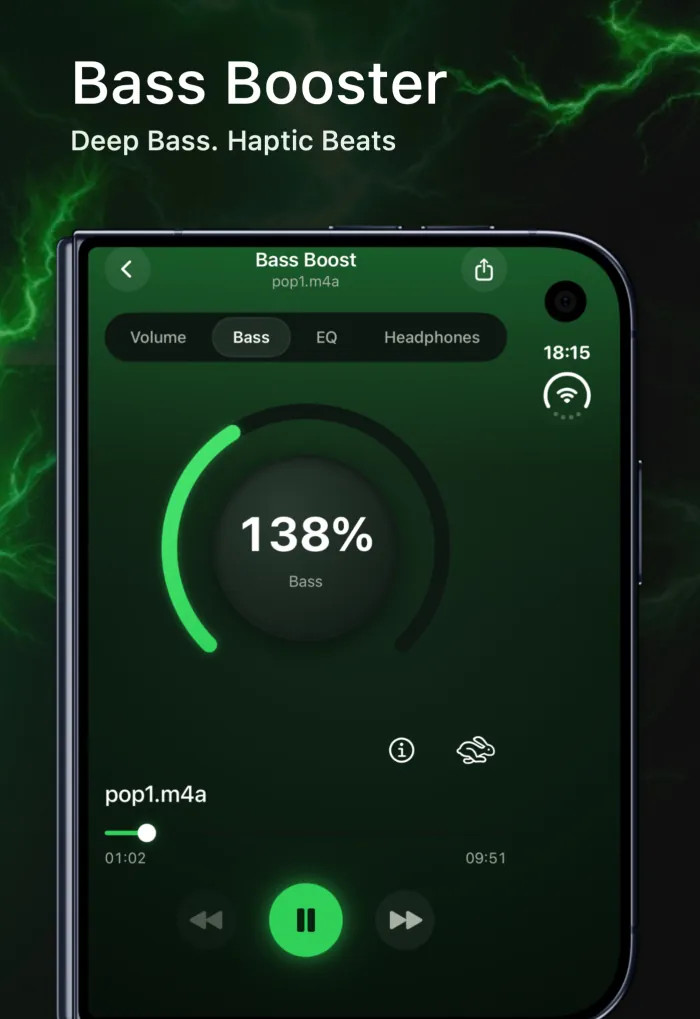
Music Haptics can't help with a song it doesn't support, and that includes many files you've downloaded or imported yourself. EQfy takes a different route. Its haptic player listens to the audio of the song playing in EQfy and vibrates along with it: stronger when the music is louder, and softer or sharper depending on whether the sound is low or high. That means it can work with any unprotected audio file you've added.
To use it:
- Import a song into EQfy. The steps are in our guide to playing MP3 files on iPhone offline.
- Open the song so the player appears.
- Tap the haptic button in the row of small buttons in the player, next to the speed (hare) button. Non-subscribers see the Premium offer instead, because the haptic player is a Premium feature.
- Tap it again to turn the vibrations off.
The haptic button only appears on iPhones with haptic hardware, and it's hidden for protected songs, because iOS doesn't let apps process audio from an Apple Music subscription. For more bass to feel, try the Bass Boost and EQ tips in how to boost bass on iPhone.
Music Haptics or EQfy's haptic player?
| Apple Music Haptics | EQfy haptic player | |
|---|---|---|
| Where | Supported apps and songs | Songs you play inside EQfy |
| Cost | Built into iOS | Premium |
| Own MP3s and imported files | Only if the song is supported | Yes, if unprotected |
| Options | Full Mix or Vocals Only, three intensities | On or off |
| Apple Music subscription songs | Yes, where supported | No, they are protected |
They don't conflict, so use Music Haptics for your streaming apps and EQfy for your own files. If you're after the hearing side, Apple's free tools are covered in our sound amplifier guide.
Frequently asked questions
How do I turn on Music Haptics on iPhone?
Open Settings › Accessibility › Music Haptics and switch it on. While a song plays you can start or stop it from the audio card in Control Center. Apple says it works on supported iPhone models while connected to Wi-Fi or cellular.
Does Music Haptics work with Spotify?
Apple's article names Apple Music, Apple Music Classical, Shazam and "compatible third-party apps" and doesn't list Spotify. Play a song in Spotify and check the audio card in Control Center: if the Music Haptics button is there and not crossed out, it works for that song.
Why is Music Haptics not working?
Check that it's on in Settings › Accessibility, that your iPhone is a supported model and connected to Wi-Fi or cellular, and that the song supports it. Apple says a crossed-out Music Haptics button in Control Center means it isn't available for that song. You can also try switching between Full Mix and Vocals Only, or raising the intensity.
Can EQfy add haptics to my own MP3 files?
Yes, for songs you play inside EQfy. The haptic button in the player makes your iPhone vibrate along with the audio. It's a Premium feature, needs an iPhone with haptic hardware, and isn't available for protected Apple Music subscription songs.