Voice Isolation on iPhone: How to Turn It On
Voice Isolation on iPhone isn't in Settings. You switch it on in Control Center, and only while a call or recording is running. It filters your microphone, so the person you're talking to hears your voice and less of the traffic, wind or kids around you.
How to turn on Voice Isolation on iPhone
- Start a phone call, a FaceTime call or a recording. It can be a test call to a friend or your own voicemail.
- Swipe down from the top-right corner of the screen to open Control Center.
- Tap the button at the top that's named after the app you're in, such as FaceTime Controls. On older versions of iOS it's labeled Mic Mode.
- Under Audio & Video, tap Voice Isolation.
You only do this once per app. Set it on a phone call and every phone call after that uses it; WhatsApp and Zoom each need their own pass.
What Voice Isolation does on iPhone
In Apple's words, Voice Isolation "prioritizes your voice and blocks ambient noise". It works on the sound leaving your phone, so the person on the other end hears the difference and you don't. If it's them you can't hear, Mic Mode won't help. That's a volume problem: see fixes for iPhone volume that's too low.
The Mic Mode menu has up to four options, and not every app shows all of them:
| Mic Mode | What it does | Use it when |
|---|---|---|
| Automatic | Picks a mode for you: Voice Isolation for calls held to your ear, Standard on speakerphone (iOS 18 and later) | You don't want to think about it |
| Standard | Normal voice processing | You're somewhere quiet |
| Voice Isolation | Prioritizes your voice, blocks ambient noise | Street, car, café, open office, wind |
| Wide Spectrum | Leaves ambient sound unfiltered | You want the room heard too: a guitar lesson, a group around one phone |
Apple doesn't say whether it filters other people's voices, so don't count on it to hide a colleague talking right beside you. Test it before an important call: ring a friend from the noisy place and ask how you sound with Standard, then with Voice Isolation.
Voice Isolation missing from Control Center?
- Nothing is using the microphone. Open Control Center during the call or recording, not before.
- Your iOS is too old. FaceTime and some third-party apps need iOS 15, phone calls need 16.4, and Voice Memos and other recording apps need iOS 26 (Settings › General › About).
- The app doesn't support it. Third-party calling and recording apps have to opt in. In Teams or Zoom, also check the app's own audio settings for noise suppression.
- You're looking for Wide Spectrum on a phone call. Phone calls offer only Voice Isolation and Standard.
- The iPhone is too old. Apple lists iPhone XR, iPhone XS and later as supported.
Voice Isolation with AirPods
With AirPods in, you're on the AirPods' mics, not the iPhone's. Apple's AirPods user guide says recent models, such as AirPods 4 and AirPods Pro 2, can filter wind and other background noise out of your voice. You switch it on from Control Center during the call, like on the iPhone. Apple doesn't name older AirPods. If the option doesn't show up with them, take the call on the iPhone's own mic.
How to turn off Voice Isolation
Same steps as above, then pick Standard, or Automatic if you'd rather the iPhone decide. Turn it off when the filter eats sound you want heard. For music, like playing piano over FaceTime, pick Wide Spectrum rather than Standard.
For recordings and voice memos
Start recording, then use the same Control Center steps. It works live, so do a five-second test first and play it back: in a quiet room you may prefer Standard, which keeps a little more of the room's natural sound.
If your voice memos come out clean but quiet, that's a different problem. How to make a voice memo louder covers Voice Memos' own settings and how to raise the level of a file.
Already recorded? Clean the file afterwards
Voice Isolation can't fix a file you've already recorded. What you can do depends on whether you only want to listen to it or need to send it.
For a Voice Memos recording you only want to listen to, open it, tap the sliders icon, tap Options and turn on Enhance Recording. It reduces background noise and echo while you listen and leaves the file itself alone.
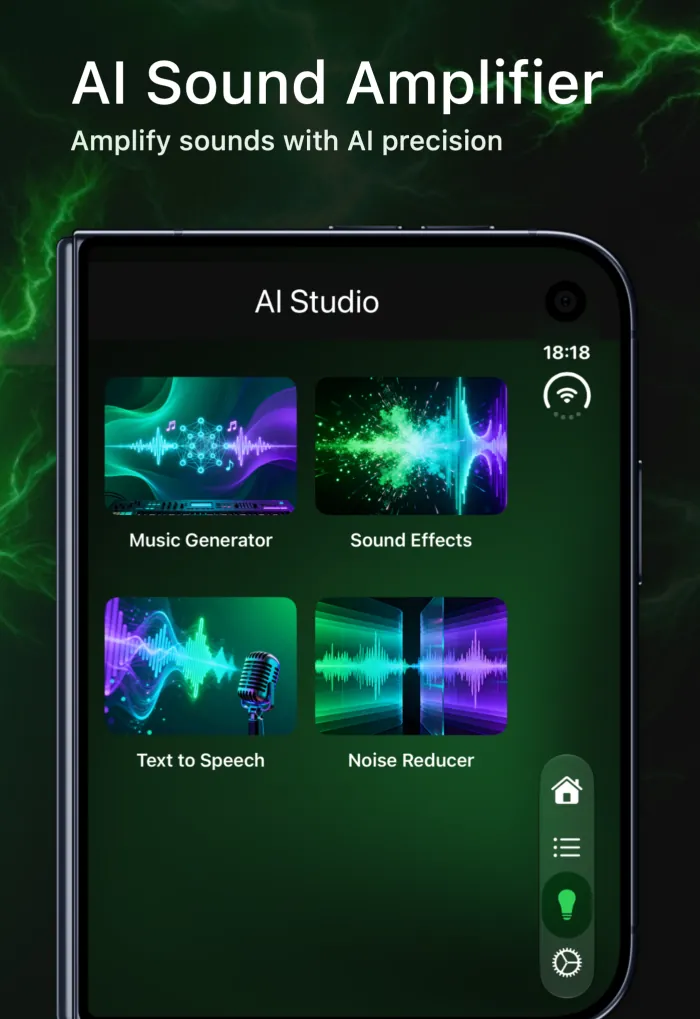
For an MP3 or WAV file you want to keep or share, EQfy - Louder Volume has a Noise Reducer in its AI tab. You pick one file, tap Remove Noise, and EQfy processes it online and saves the result as a new MP3 in a Noise Reducer playlist, leaving your original as it was. Three things to know:
- It takes MP3 and WAV only. Voice Memos saves M4A files, so convert those first.
- It costs 1,500 credits for every started minute, so a 10-second clip costs 1,500 and a 61-second file costs 3,000. Credits are deducted only after the file is saved. Trim the recording to the part you need before you upload it.
- There's no list of which noises it handles, so run a short clip first and compare it with the original by ear.
The full walkthrough, with Photos' Audio Mix for videos, is in how to remove background noise from audio on iPhone.
Frequently asked questions
How do I turn on Voice Isolation on iPhone?
Start a call or recording, open Control Center, tap the app's controls at the top and choose Voice Isolation. The iPhone remembers it for that app.
Why don't I see Voice Isolation in Control Center?
It only appears while an app is using the microphone, in apps that support it, on a recent enough iOS version. Phone calls, for example, need iOS 16.4.
Does Voice Isolation make the other person sound clearer?
No. It filters your microphone, so it changes what the other person hears from you. If you can't hear them well, Mic Mode won't help. Check your volume and speaker instead.
How do I turn off Voice Isolation on FaceTime?
During the call, open Control Center, tap FaceTime Controls and choose Standard, or Wide Spectrum to leave the room unfiltered. Your phone calls keep their own setting.
Can Voice Isolation clean up a recording I already made?
No, it only works while the mic is live. Voice Memos' Enhance Recording cleans up playback, and EQfy's Noise Reducer can save a cleaned copy of an MP3 or WAV file.
