Podcasts Too Quiet on iPhone? Fixes and EQ Tips
If podcasts are too quiet on your iPhone, start inside the app you listen in: in Apple Podcasts, raise the player's volume bar and try Enhance Dialogue for clearer voices; in Spotify, try Volume level in Settings and privacy › Playback. Then check your iPhone's own limits. For an episode you have as an audio file, EQfy - Louder Volume can boost it by up to +12 dB and add a voice EQ, but it can't change podcasts inside other apps.
Why podcasts sound so quiet
Songs are usually mastered to a similar loudness, but podcasts come from many independent producers, so one show can be far quieter than another. Two other things sit between the episode and your ears: the app's playback settings and your iPhone's volume limits. The list below goes from the quickest fix to the more involved.
1. In Apple Podcasts
Apple's guide to playing podcasts on iPhone lists two things worth trying:
- The player's volume bar. In the Now Playing screen, touch and hold the volume bar, then slide your finger left or right.
- Enhance Dialogue. Tap the playback speed button in the player, then tap Enhance Dialogue. Apple describes it as a way to hear voices more clearly. It improves clarity rather than adding volume, but a clearer voice often sounds louder.
2. In Spotify
Spotify's volume help page says you can tap your profile picture, then Settings and privacy › Playback and choose a Volume level of Loud, Normal or Quiet, for Premium accounts. The page describes it for songs and doesn't say whether it applies to podcasts, so test it on an episode. Spotify's equalizer, which its help page says covers music and podcasts, can also bring voices forward. The details are in make Spotify louder on iPhone.
3. In audiobook apps
Audible's help article on listening in the app lists player settings such as timers and skip intervals, but no volume control, so the level comes from your iPhone's volume. Audiobook files from services like Audible are usually copy-protected, which means booster apps can't process them either.
4. Check your iPhone's limits
If every podcast app sounds quiet, the cause is probably on the phone. Check your volume limit and the Reduce Loud Audio setting, and make sure Bluetooth volume isn't low at the speaker or headphone side. Our guides cover all of these: iPhone volume too low? 12 quick fixes, iPhone Bluetooth volume low and how to make iPhone louder than max volume.
5. For episode files you have: boost them with EQfy
If you have a podcast episode or lecture as an audio file, such as an MP3 or M4A that a creator offers for download, you can import it and boost it. Only use files you're allowed to keep, and respect the creator's terms.
- Import the file. In EQfy, choose Files and pick the episode. See playing MP3 files on iPhone offline for the steps.
- Raise Volume Boost. In the Volume tab, turn the dial from 100% toward 200% (up to +12 dB) in small steps.
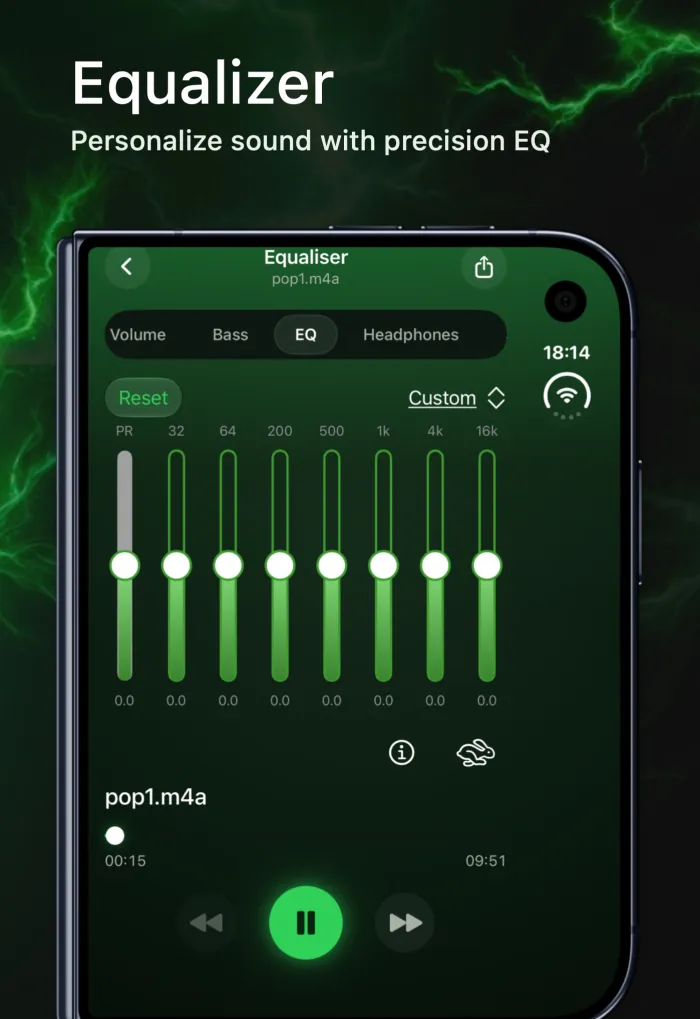
- Add a voice EQ (Premium). In the Equalizer tab, try the speech recipe: 32 Hz −3, 64 Hz −2, 200 Hz −2, 1 kHz +2, 4 kHz +3 and 16 kHz at 0. It's explained in our EQ settings guide.
- Save a louder copy if you want one. Tap the share button to render a new file with the boost baked in. See how to make an audio file louder on iPhone.
EQfy's equalizer can't save your own presets, so note the values you like. Raise the boost gently, because speech with a lot of hiss or room noise gets noisier as it gets louder, and keep the level safe for your ears: is volume boosting safe?
What a booster app can't do for podcasts
- It can't boost the Podcasts, Spotify or YouTube apps. iOS doesn't allow it, for any app.
- It can't boost streamed episodes or protected files. It works only on audio files you import.
- It can't fix a poorly recorded show. A very quiet or noisy recording has limits, and boosting it only goes so far.
Frequently asked questions
Why are podcasts so quiet on my iPhone?
Podcasts are produced by many different people, so their loudness varies a lot from show to show, and a quiet one can sound very low next to a mastered song. Your iPhone's own limits, such as a volume limit or Reduce Loud Audio, and a low Bluetooth volume can also keep the sound down.
How do I make Apple Podcasts louder?
Touch and hold the volume bar in the Now Playing screen and slide it right, then raise your iPhone volume. Apple also has Enhance Dialogue: tap the playback speed button in the player, then tap Enhance Dialogue to hear voices more clearly. It's about clarity, not extra volume.
Can EQfy make the Podcasts app or Spotify louder?
No. iOS only lets EQfy process audio played inside EQfy, so it can't change Apple Podcasts, Spotify, Audible or YouTube. It can boost an audio file you have, such as an MP3 or M4A episode, if you import it.
What are the best EQ settings for podcasts?
For speech, cut the lowest bands a little to remove rumble, trim 200 Hz to reduce muddiness, and lift 1 kHz and 4 kHz slightly so words come forward. Our EQ settings guide has the exact values for EQfy.
